
From a Leica measurement
If you measure the boat with a Leica iCON trades device, Fabricator can read the device’s DXF export and make the wireframe from it. The lines come in on the right edge types and with their loops closed, so you start from a wireframe rather than from loose points.
On the device
Section titled “On the device”The layer you pick on the device before each stroke decides where the stroke lands in Rhino. Set the layers up once:
- A layer named after a Fabricator edge type (Fixed edge, Cable, Seam, Join, Anchor, Assist, Excluded, Leaf) lands on that edge type. A layer named after a detail layer (Detail, Cutout, Reinforce and the others) lands on that detail layer. Upper or lower case does not matter.
- Add
Curveor a capitalCafter the name for a smooth curve through the shots:Seam Curve,SeamCorSeam C. Without it the stroke comes in as straight lines from shot to shot. - Any other layer comes in under its own name and colour, for you to sort out in Rhino.
A shot that belongs to no stroke is a detail point. It comes in as a point, exactly where it was shot, on its layer.
In Rhino
Section titled “In Rhino”-
Open the drawing the wireframe should go into. Its units do not matter: the measurement is converted.
-
In the Fabricator panel, open 3D Frame and click Import Leica under Import.
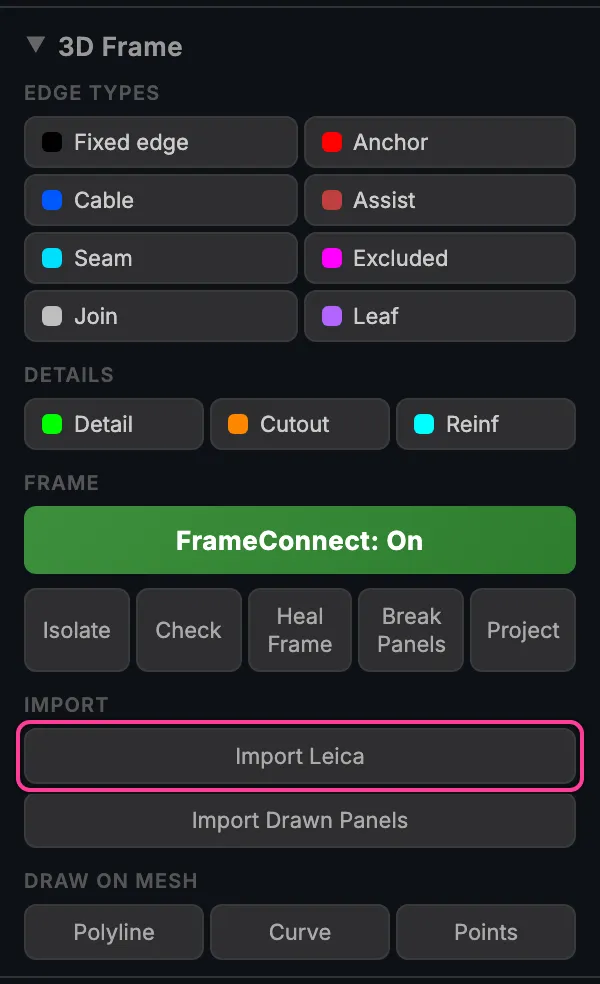
Import Leica, in the 3D Frame section of the panel. -
Choose the DXF file from the device and click Open.
-
The wireframe appears. The status bar at the foot of the panel, and Rhino’s command line, say what came in, for example “Imported Bimini: 24 lines, 6 curves, 3 details, 4 closed, 11 joins”.
The whole import is one undo step. Each curve keeps the shot numbers it was
made from as Rhino user text (leica.shots), and each point its shot number
(leica.shot), so you can look them up later.
What the import closes for you
Section titled “What the import closes for you”A hand-held measurement never lands exactly on the earlier lines. The import tidies the ends, using the order in which you shot them:
- A stroke whose last shot comes back within 15 mm of its first shot is closed into a loop.
- A stroke end within 40 mm of an earlier stroke is moved onto it, so the two meet. Where it lands on the middle of a line, that line gets a point there.
- A shot in the middle of a stroke is joined only where the stroke crosses an earlier one, never along a line that runs beside it.
- An end farther off is left where it was shot, without a mark. Press Check in the panel to find ends that still do not meet, and Heal Frame or a snap to join them. See Draw the wireframe.
Curves that land on the Fabricator edge types are connected, so they keep together when you edit them with FrameConnect on.
If the file is refused
Section titled “If the file is refused”| Message | What it means |
|---|---|
| “Not a Leica export: no P_### shot labels in …” | The file is a DXF, but not one exported by the Leica device. Import other DXF files with Rhino’s own Import. |
| “Leica import failed: …” | The file could not be read. Export it from the device again; if it keeps failing, send it to support. |