
Keep Fabricator up to date
When the Fabricator panel opens, it asks whether a newer version is out. It never installs one by itself: it tells you, on a line under your name, and you click Update. The line is there only when there is something to say.
A new version is out
Section titled “A new version is out”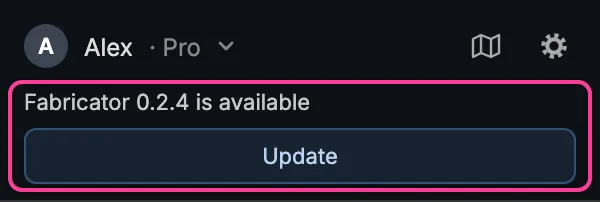
Click Update. The panel downloads the new version and installs it while you keep working. Rest the pointer on the message to see the exact build number.
The offer shows only while you are logged in.
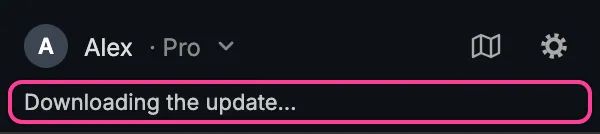
When it is installed, the line says so:
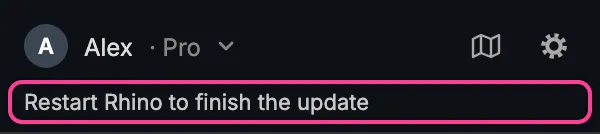
Close Rhino completely and open it again. Rhino loads a new version of a plugin only when it starts.
An update is required
Section titled “An update is required”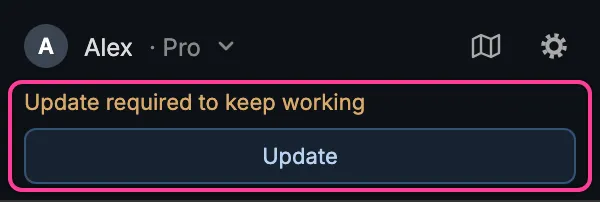
Your version is older than the oldest one the Fabricator server still accepts, so it stops working until you update. Click Update. If there is no Update button, click Download manually: it opens the website’s Getting started page, where you can download the plugin and install it as in Install and log in.
The update didn’t install
Section titled “The update didn’t install”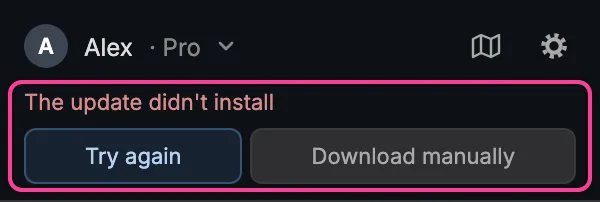
Click Try again. If it fails again, click Download manually and install the downloaded file by opening it.
From the Rhino toolbar
Section titled “From the Rhino toolbar”The third button of Fabricator’s Rhino toolbar checks for updates without the panel. Its tooltip names the version you have, for example “Fabricator 0.2.3: check for updates”.
Click it. A message box says which version is loaded, then one of these:
| It says | What it means |
|---|---|
| It is up to date. | Nothing to do. |
| Fabricator 0.2.4 is available. Install it now? | Click Yes to download and install it, as the panel’s Update button does. Rhino does not respond for a moment while it downloads. Then restart Rhino. |
| Fabricator 0.2.4 is installing from the panel. | You already clicked Update in the panel. Wait for it. |
| Could not check for updates. | The Fabricator server could not be reached. Check your connection and try again. |
| It was not installed by Rhino’s Package Manager, so it is not updated here. | Download the plugin from the website’s Getting started page instead. |
After an install from the toolbar, the panel shows Restart Rhino to finish the update, the same as after its own Update.
From the command line
Section titled “From the command line”| Command | What it does |
|---|---|
fabricator_version |
Shows the version you have and the version on offer, and what to do. |
fabricator_update |
Downloads and installs the version on offer, as the Update button does. |
fabricator_update updates only a plugin installed through Rhino’s package
system (the downloaded file or the Package Manager). Otherwise it says “Not
installed by Rhino’s Package Manager, so not updated here”.